See how MyResumeRobot turns a career profile into job-specific documents
Start with a CV or LinkedIn profile, or build your career profile yourself. MyResumeRobot organizes experience, skills, education, certifications, and interests in one personal career database. Add a job posting and the app compares the role with that profile, highlights relevant details, and asks about useful context that may be missing. You choose what to add. Then MyResumeRobot prepares a CV and cover letter tailored to that job, ready for you to review, edit, and download.
This example is fictional. It follows Alex Demo, a fictional IT support candidate, and a fictional IT Support Specialist opening. The people, employers, school, contact details, posting, and career history are invented. No application was submitted, and this example does not describe a real candidate, employer, testimonial, or hiring outcome.
Watch the walkthrough
A 97-second narrated walkthrough of the fictional example below, with English captions. The video does not start on its own. Read the walkthrough transcript (plain text) if you prefer text or cannot play video.
The example, step by step
1. Start with a career profile
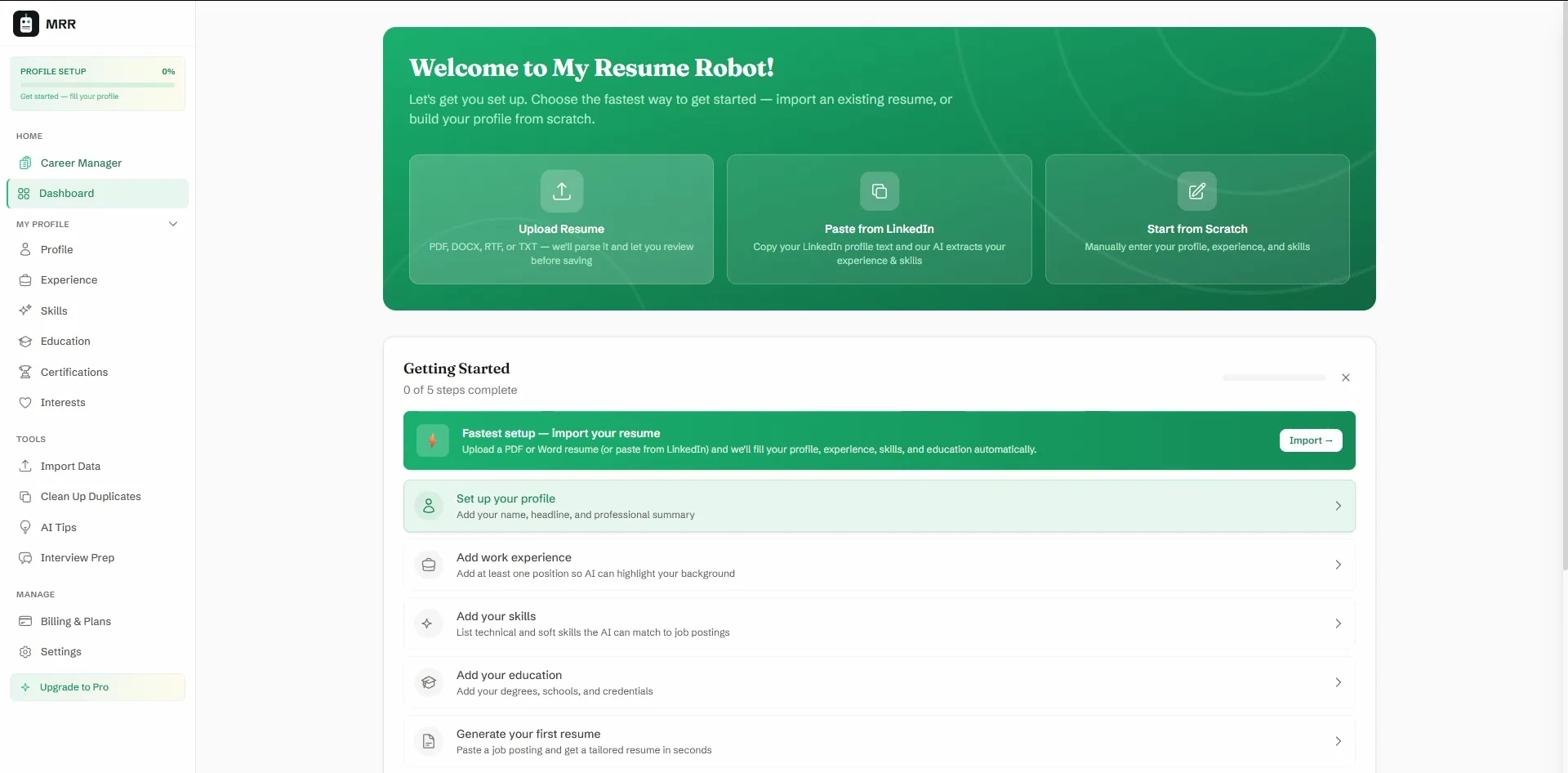
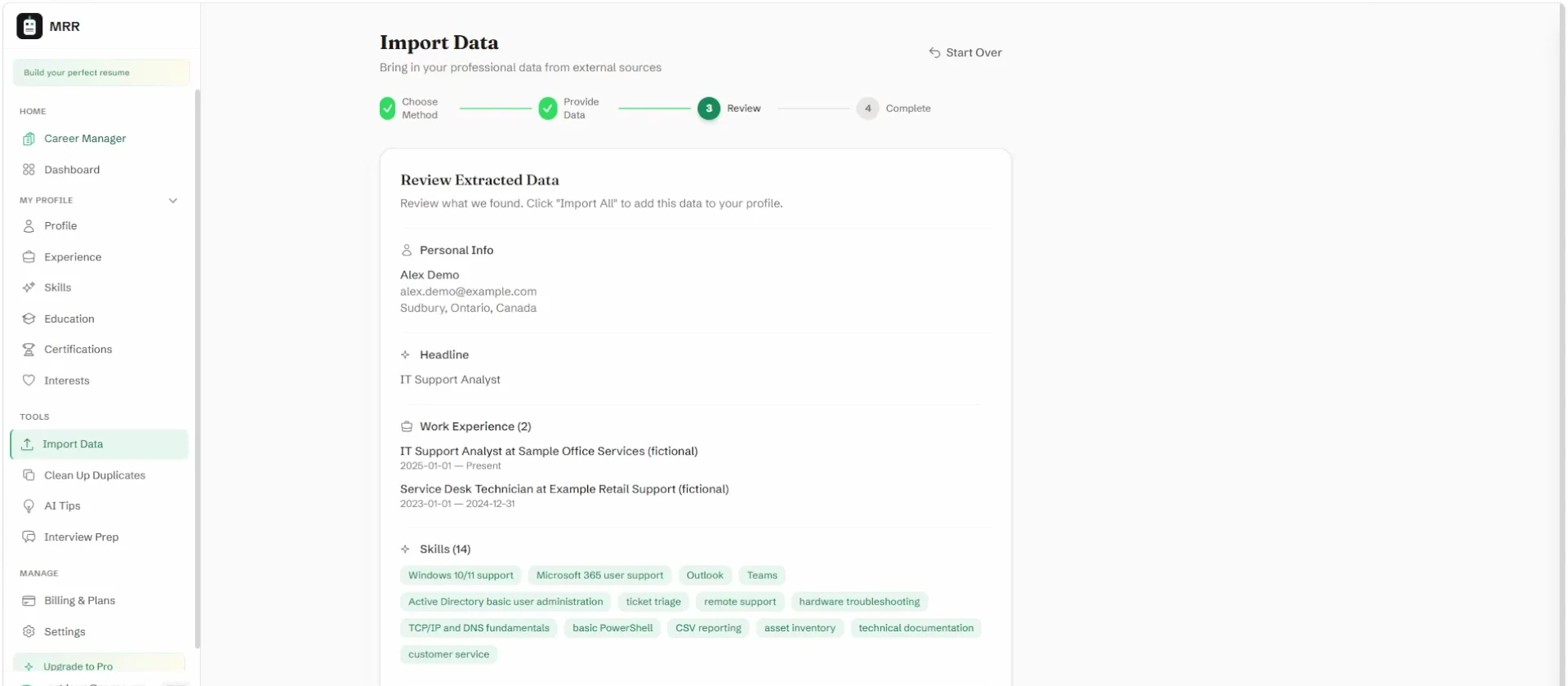
Alex’s fictional starting CV contains two IT support roles, a Computer Systems Technician diploma, and experience with Windows, Microsoft 365, ticket triage, basic Active Directory, laptop provisioning, inventory, documentation, and basic PowerShell. Ubuntu is described only as personal home-lab learning, not professional work.
No CV or LinkedIn profile? You can build the same career profile manually.
2. Add a job posting
The fictional IT Support Specialist posting asks for Windows and Microsoft 365 support, ticketing, account administration, laptop setup, documentation, and a related diploma. PowerShell is a useful extra; certifications are optional. The posting used in this example is included as a download.
3. Check the fit and add context
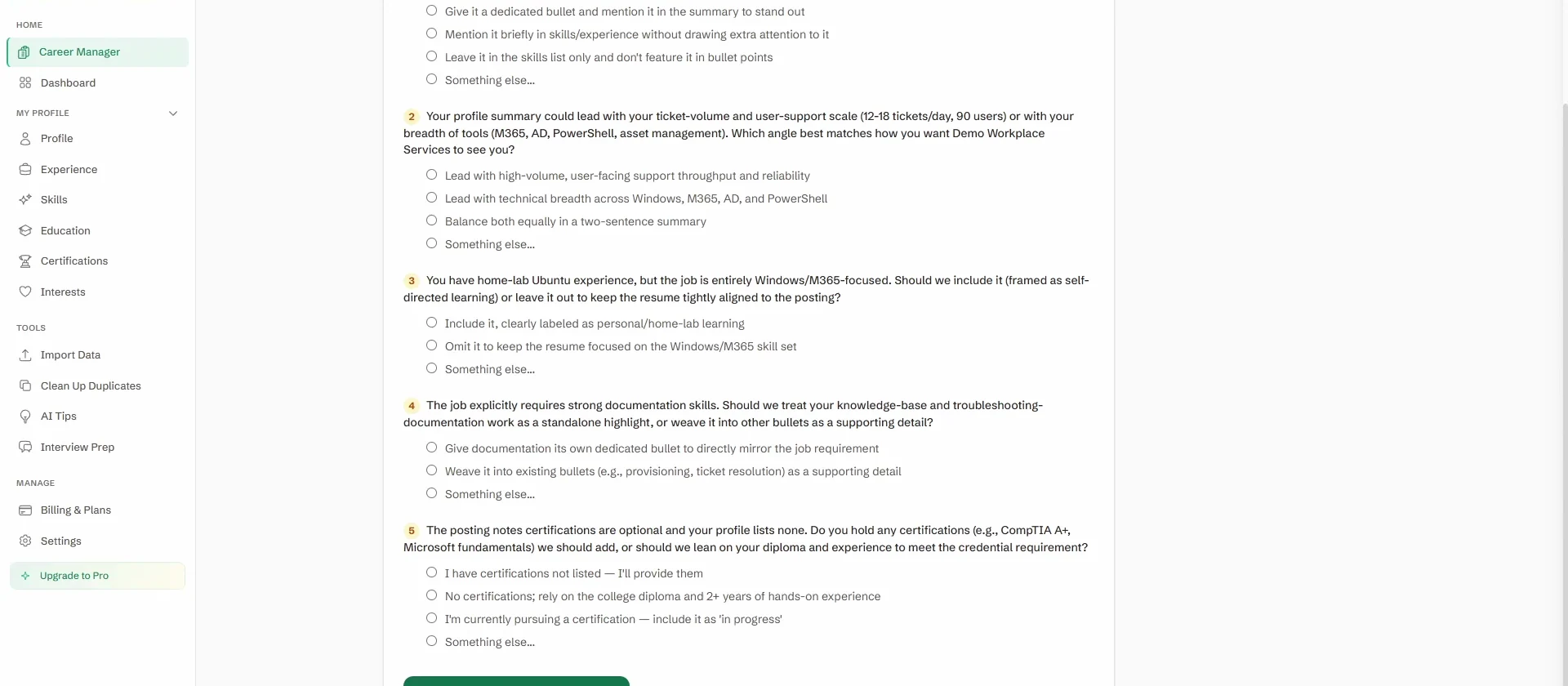
The app compares the posting with Alex’s saved profile and surfaces relevant experience along with questions where more context could help. Alex decides what is accurate and what belongs in the profile. Any genuinely new detail can be kept for future applications.
Any match shown by the app is an aid for comparing this fictional profile with this fictional posting. It is not a hiring probability, a validated ATS result, or a guarantee. This page includes no match-score screenshot.
4. Review the tailored documents
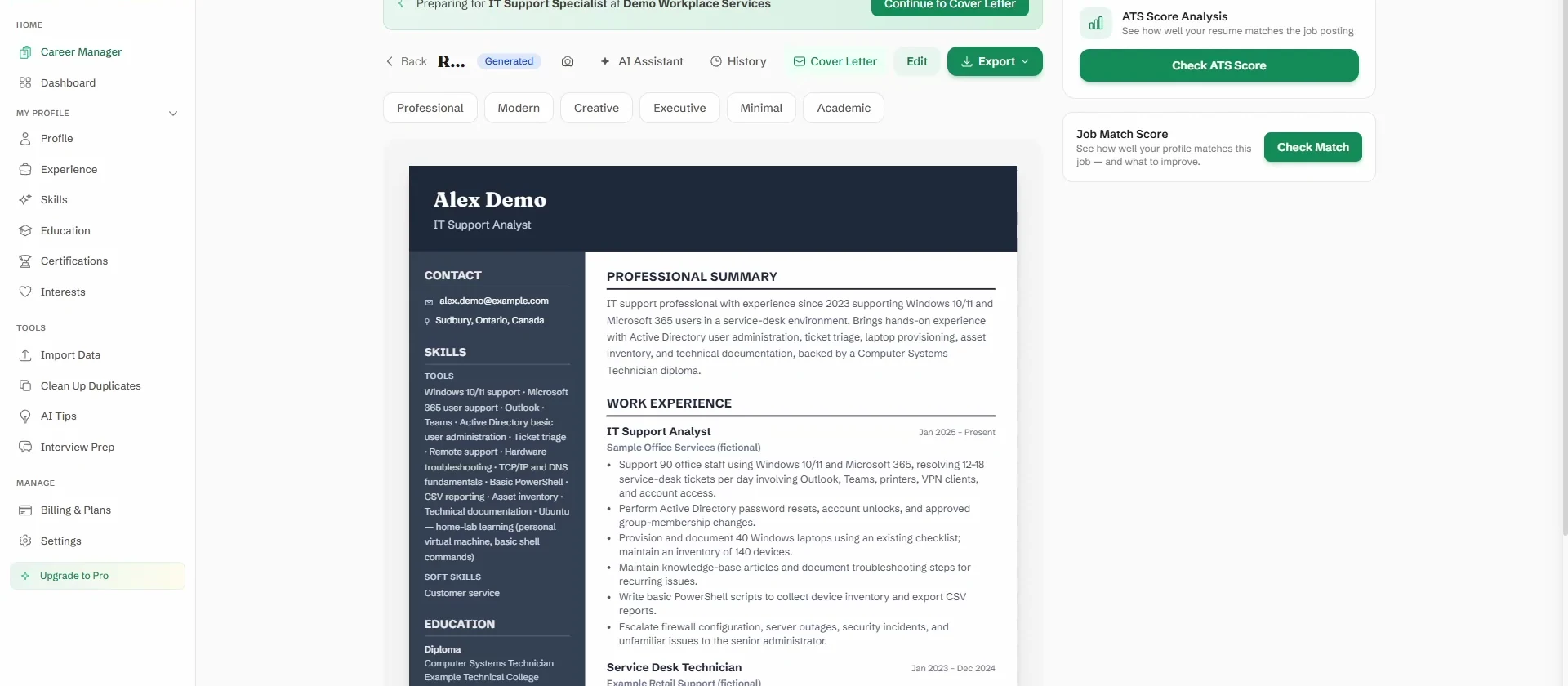
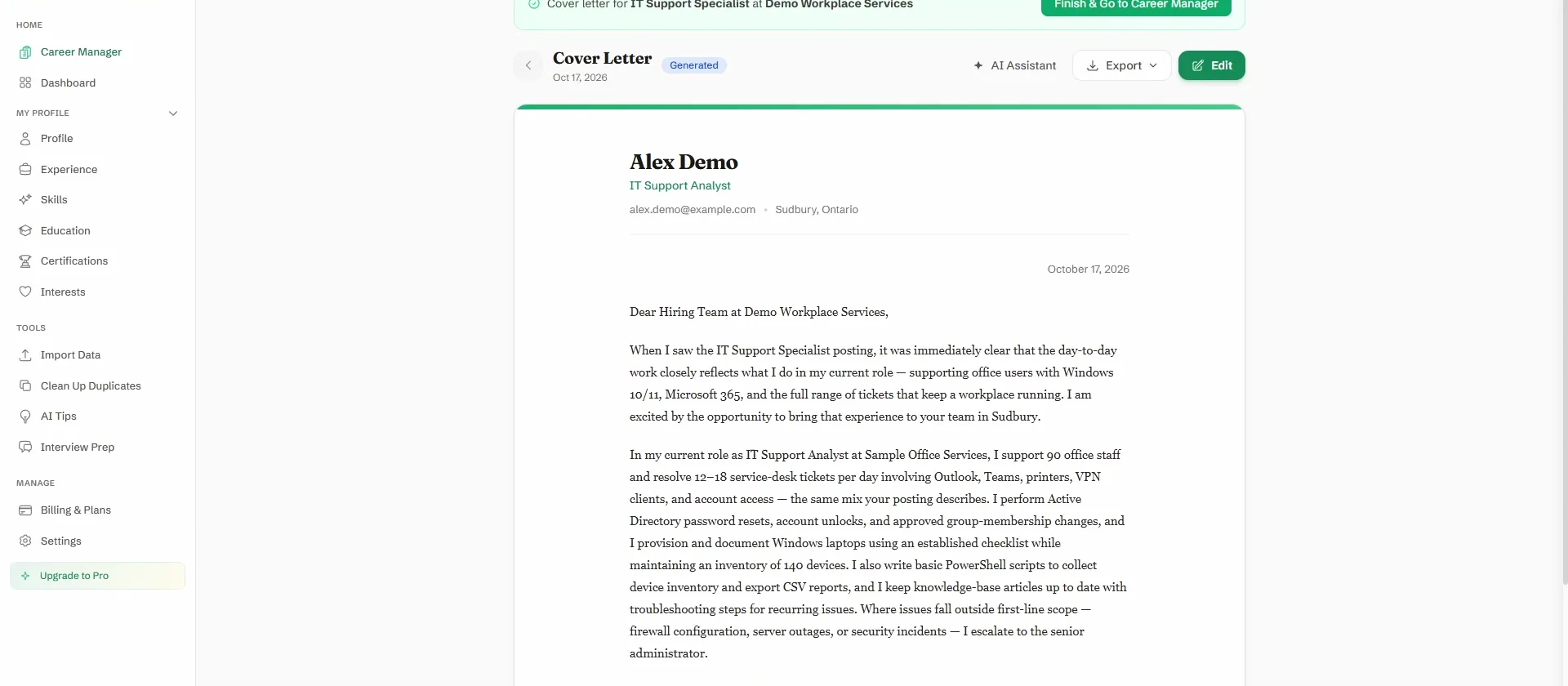
The tailored CV brings the most relevant support work forward: Windows and Microsoft 365, ticket volume, account tasks, laptop provisioning, inventory, documentation, and basic PowerShell. Personal Ubuntu practice remains clearly separate from employment experience. The matching letter connects the same fictional facts to the role.
The downloadable cover letter is re-typeset from the letter text shown in the app so it fits on one page and carries a visible fictional-example notice. It is not a raw in-app PDF export.
What changed
- Relevant support experience and tools are easier to spot for this role.
- Existing facts are organized around the posting’s priorities; the example adds no certifications or senior-level administration claims.
- Personal Ubuntu practice stays identified as home-lab learning.
- The CV and letter use the same fictional work history and name the fictional role and employer.
What to check before using any generated document
Confirm that every employer, date, tool, qualification, responsibility, and number is accurate for you. Make sure personal learning is not described as work experience, the role and company names are correct, and the wording sounds like you. Edit or remove anything that does not reflect your real history. Check your contact information and the final layout before downloading or sharing.
Downloads
All four files are fictional. Alex Demo, the employers, the school, the contact details, the job posting, and the career history are invented. No application was submitted, and nothing here implies an employment outcome.
- Download Alex’s starting CV (fictional PDF)Alex’s fictional source CV.
- Download the fictional job posting (TXT)The fictional posting used in the example.
- Download the tailored CV (fictional PDF)One-page tailored CV generated in the app, with a publication disclosure footer.
- Download the tailored cover letter (fictional PDF)One-page letter based on the in-app text, re-typeset for publication and marked fictional.
About these images and files
The five screenshots are real product screens from a recorded fictional account, cropped from the approved walkthrough video with browser chrome and the demo account footer removed. They are not fresh captures of today’s production build, so details of the app may differ slightly from what you see now. Looking for an unedited example with two job postings? See One profile, two focused resumes.
Try it on your own career
Build your profile once, add a job posting, and see what a focused CV and cover letter look like for you.
Try It Free